 |
Increasing Notebook battery Power :Depending
upon the model, a notebook battery usually
lasts from 1 to 8 hours. However, with
efficient battery usage, an hour or two of
battery power can significantly be increased.
You can save battery power by using the
built-in battery saving modes and by
following good notebook battery-saving
practices.
built-in battery-saving modes are Stand by
and Hibernate. In the Stand by mode, open
applications are stored in the RaM, the hard
disks power down, the monitor switches off,
but the processor goes on running. |
|
|
When you again perform some
activity of the mouse or the keyboard, then
the hard disk powers up, the monitor
switches on, and the data from the RaM is
activated, restoring your
notebook exactly
the way you left it.The Hibernation mode is
used when the notebook is left unattended
for a long time.
The open applications are stored on the
hard
disk, which subsequently powers down, the
monitor turns off, and the processor turns
off going in for hibernation On soft
rebooting like a restart or wake up on LaN,
the processor turns on, the laptop wakes up,
and the same exact settings are restored.
both these modes should be used to conserve
battery power.
|
|
|
You can preset your
preferences in the settings of your
notebook, so that in case you doze off, or
leave the device for a coffee or a snack,
the notebook automatically goes into any one
of these power saving modes.
Following battery-saving practices can also
save notebook battery power. You should
always adjust the monitor controls to suit
the room lighting conditions.
|
|
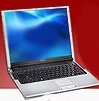 |
Dimming the contrast and
brightness saves battery power besides
providing relief to your eyes. Auto-save and
auto-update features of applications start
in the background without your knowledge and
these should be disabled.
External devices consume a lot of battery
power, hence the usage of external mice,
monitors, keyboards, optical drives,
videocam, digital cameras, or any other
device connected to the
PC card slot, VGa/ FireWire/ USb port should be avoided. |
|
Increase the
RaM memory, if
an extra slot is available, as this puts
fewer burdens on the
hard disk, which
consumes a lot of battery power. Avoid
multimedia games while you are running your
notebook on battery power. Similarly, avoid
music or movies. Copy the CD/DVD on the
hard
disk and play it from there, instead of the
optical drive.
Disable
WiFi and bluetooth. built-in
wireless cards should also be disabled.
Decrease or set to mute the notebook speaker
volume. Turn off all preprogrammed scheduled
tasks. All unused open applications should
be closed. The general guideline is that
when your notebook is on battery power, you
should perform only such operations, which
are the need of the hour. Rest of the
applications can be performed, when your
notebook is connected to the mains. |
|
|
Keeping good care of the
battery also prolongs its life. To maximize
performance of nickel-metal hydride
batteries, they have to be completely
drained off before they are recharged.
However, lithium-ion batteries do not need
cycling/ conditioning, and they do not
suffer from memory effects. Hence, they need
not be fully drained off before recharging.
When the notebook is not in use for an
extended period, the battery pack should be
removed to avoid battery leakage.
before
removing the battery pack, you should charge
it fully and then remove it, as all kinds of
batteries should always be stored in a fully
charged state. Do not store your battery
pack along with metal parts, as this will
short-circuit your battery.
Utilizing the built-in battery saving
options and other means, you can
significantly add one to three hours more in
the total capacity of your notebook battery.
Sometimes, in critical situations, like an
important meeting, this extra hour of
notebook battery power can help you clinch
your desired deal.
about the author
This article can be accessed in Portuguese
from the article section of page
http://www.polomercantil.com.br/notebook.php
Roberto Sedycias works for
http://www.polomercantil.com.br
Sources:www.articlequery.com
Published by:
www.seekinusa.com
,
.
|
|
|
|
|
|
|